BeeDone Everywhere: Seamless Productivity Across Android, iOS, and Web
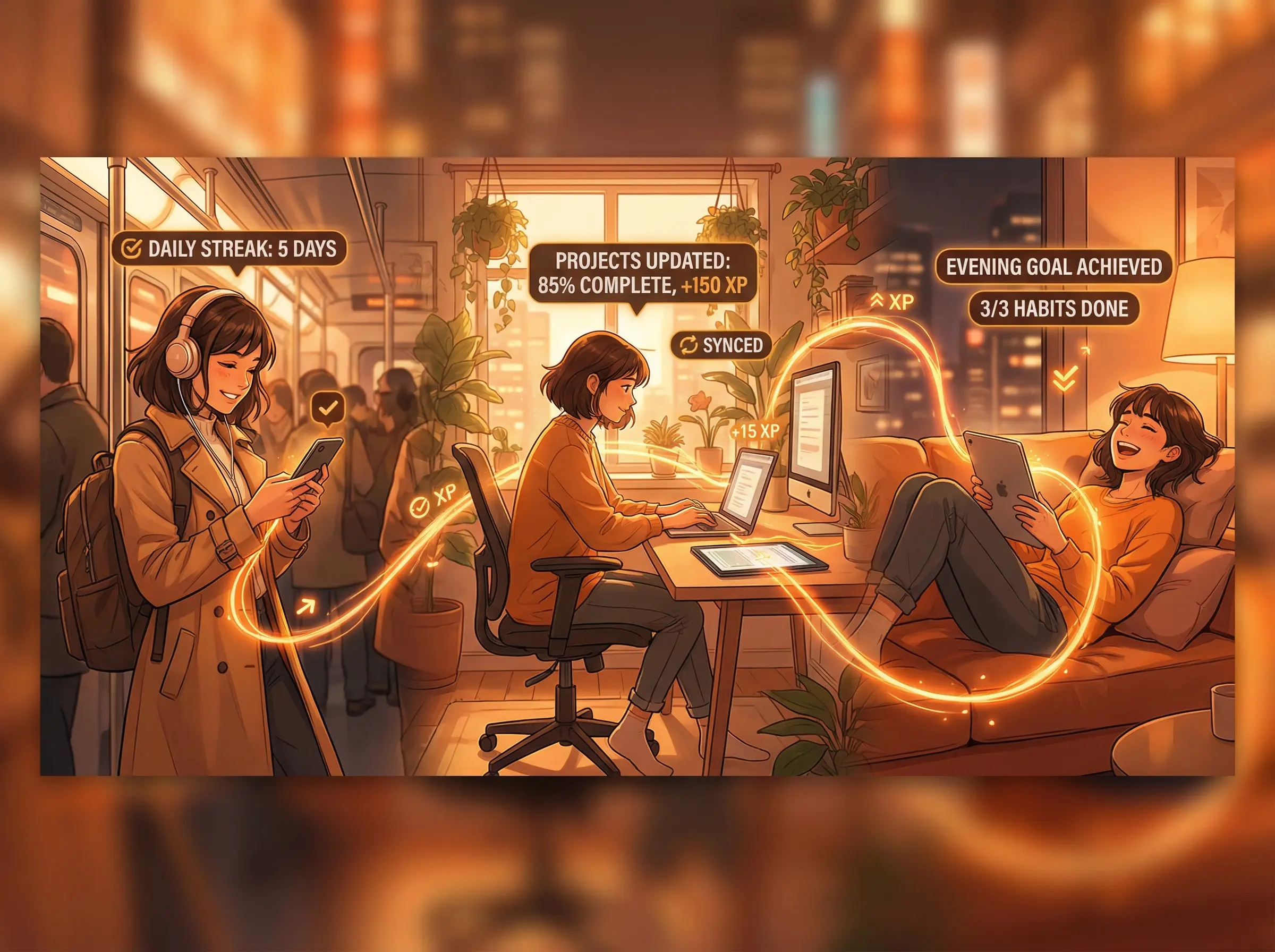
Your productivity shouldn’t depend on which device you’re holding. A task added on your phone during your morning commute should be waiting on your laptop when you sit down at your desk. A habit completed on your tablet should update your streak on every device instantly. A deep work session started on your computer should sync its XP to your phone the moment it finishes.
BeeDone delivers exactly this. Available on Android, iOS, and the web, it provides a unified productivity experience that follows you wherever you go.
Three Platforms, One Experience
Android
BeeDone’s Android app is built for the world’s most popular mobile operating system. Whether you’re using a Samsung Galaxy, Google Pixel, OnePlus, or any other Android device, the experience is optimized for the platform:
- Material Design integration that feels native to Android
- Widget support for at-a-glance task and habit views on your home screen
- Notification system that leverages Android’s flexible notification channels for AI coach messages, habit reminders, and achievement alerts
- Background sync that keeps your data current even when the app isn’t actively open
- Available on the Google Play Store
iOS
For iPhone and iPad users, BeeDone delivers a polished iOS experience:
- Clean, native interface that follows iOS design conventions
- Widget support for iOS home screen and Today view
- Seamless notifications for habit reminders, coach messages, and achievement unlocks
- iPad optimization with layouts that take advantage of larger screens
- Available on the App Store
Web App
Not near your phone? No problem. BeeDone’s web app provides full functionality from any browser:
- Complete feature parity with mobile apps. Everything you can do on your phone, you can do on the web
- Responsive design that works on any screen size, from ultrawide monitors to small browser windows
- No installation required. Open a browser, log in, and you’re productive
- Perfect for work environments where phone use is frowned upon but web apps are acceptable
- Access it at beedone.co
Why Cross-Platform Matters for Productivity
Capture Everywhere
Productivity ideas don’t wait for convenient moments. You think of a task while walking the dog (phone). You need to break down a project during a work meeting (laptop). You want to review your weekly progress from the couch (tablet).
BeeDone’s cross-platform presence ensures you can capture, organize, and execute tasks from whatever device is nearest. No friction, no “I’ll add it later,” no lost ideas.
Work Where You Work Best
Different tasks suit different devices:
Phone: Quick task additions, habit check-offs, Task Roulette when you need a quick win, reviewing AI coach messages during breaks.
Computer: Deep work sessions using the Deep Work Timer, project planning with the AI Task Splitter, reviewing Weekly Wins reports, detailed task organization with Smart Sort.
Tablet: Morning routine review with Morning Flow, reading Bee Plans suggestions, casual evening review of the day’s progress.
BeeDone’s sync ensures that your action on any device immediately reflects on all others. Complete a habit on your phone at 7 AM, and your web app shows the updated streak when you open it at 9 AM.
Never Miss a Streak
This is perhaps the most practically important benefit of cross-platform availability. Habit streaks are fragile. Miss one day and your momentum suffers.
With BeeDone on every device, there’s always a way to log your habits:
- Phone died? Use the web app on your computer.
- Forgot your laptop? Check off tasks from your phone.
- Traveling without your phone? Any hotel computer or borrowed device gives you web access.
Your streaks, Habit Tokens, and Streak Artist progress are protected by redundant access points.
Real-World Cross-Platform Scenarios
The Remote Worker
8:00 AM (Phone): Wake up, open BeeDone. Morning Flow presents your habits. Complete morning meditation, stretching, and journaling. Check them off on your phone while still in bed. +75 XP.
9:00 AM (Computer): Sit down at your desk. Open BeeDone web app. Your completed morning habits are already reflected. Start a 90-minute Deep Work session on your priority project. Focus Guardian keeps you on track. +200 XP.
12:30 PM (Phone): Lunch break. Review AI coach messages. The Hype Man notes your streak is at Day 22. Check off your “walk for 20 minutes” habit during your break.
3:00 PM (Computer): Afternoon energy dip. Use Task Roulette on the web app to pick your next task. Complete two more items. Review your Priority Master view to make sure nothing important is slipping.
7:00 PM (Phone): Evening wind-down. Complete remaining habits. Review tomorrow’s tasks. Check total XP for the day: 520. Level 14 is approaching.
The Commuter
7:15 AM (Phone, on train): Open BeeDone. Add three tasks you thought of overnight. The AI Task Splitter breaks “Prepare quarterly presentation” into 6 subtasks. Check off your “read for 15 minutes” habit.
9:00 AM (Computer, at office): Full day view on the web app. Large screen makes task organization with Smart Organizer efficient. Group tasks by type using Slasher mode. Start deep work.
5:30 PM (Phone, on train home): Review the day. 6 of 9 tasks complete. Check off remaining habits. Plan tomorrow’s top 3 tasks so Morning Flow has them ready.
The Traveling Professional
6:00 AM (Phone, hotel room): Morning routine. Habits checked off. AI coach notes you’ve maintained your meditation streak across 3 time zones.
10:00 AM (Tablet, client meeting waiting room): Quick review of the day’s priorities. Add follow-up tasks from yesterday’s meetings. Delegate “Send proposal follow-up” to your assistant using Easy Delegation.
8:00 PM (Hotel laptop, web app): Detailed planning for tomorrow. Review Weekly Wins on the larger screen. Adjust priorities based on new information from the trip.
Features That Shine on Each Platform
Phone-First Features
- Task Roulette: One tap, instant task selection. Perfect for quick mobile interactions.
- Habit check-offs: Simple toggles for daily habits. Check, earn token, move on.
- AI Coach messages: Short, encouraging notifications that arrive at the right moments.
- Quick task addition: Add tasks as they come to mind, wherever you are.
Computer-First Features
- Deep Work Timer: Long focus sessions are more comfortable at a desk with a full keyboard.
- Weekly Wins review: Detailed analytics and AI coach insights benefit from a larger screen.
- AI Task Splitter: Breaking down complex projects is easier with more screen real estate.
- Smart Organizer: Drag, rearrange, and organize tasks efficiently with a mouse.
- Priority Master view: The Eisenhower Matrix visualization is clearer on a wider display.
Universal Features
- XP and Level progress: Visible on every device, constantly motivating.
- Streak tracking: Your Habit Tokens and Streak Artist art sync everywhere.
- AI coaching: Your coach’s personality and insights follow you across devices.
- Morning Flow: Available wherever you start your morning.
- Gamification: Achievements, levels, and rewards are always accessible.
Data Security Across Devices
Cross-platform sync means your data travels across the internet. BeeDone takes security seriously:
- Encrypted data transmission between your devices and BeeDone’s servers
- Secure authentication to protect your account across platforms
- Cloud-based sync ensures your data is backed up and recoverable
- No data selling. As a self-funded company, BeeDone’s business model is subscriptions, not advertising or data monetization
Getting Started on Every Platform
New Users
- Download BeeDone on your primary device (the one you use most for productivity)
- Create your account during setup
- Set up your habits, tasks, and AI coach preferences
- Install on additional devices and log in with the same account
- Everything syncs automatically. Your setup appears instantly on all devices.
Existing Users Adding a New Device
- Install BeeDone on the new device (or open the web app)
- Log in with your existing account
- All your tasks, habits, streaks, XP, level, and coach preferences appear immediately
- Continue exactly where you left off on any other device
The Self-Funded Advantage for Cross-Platform Users
BeeDone is 100% self-funded. This matters for cross-platform users because:
No platform favoritism. Venture-backed apps often prioritize one platform (usually iOS) to impress investors with metrics. BeeDone invests equally in Android, iOS, and web because all users matter equally.
No data monetization. Your productivity data stays yours. There’s no incentive to mine it for advertising targeting across platforms.
Sustainable pricing. Free forever on Novice (3 habits, basic gamification). $8/month for Pro (unlimited everything). $120 for Lifetime (everything, permanently). One subscription works across all platforms.
Frequently Asked Questions
Does BeeDone sync across devices? Yes. BeeDone syncs your tasks, habits, streaks, XP, levels, achievements, and AI coach preferences across Android, iOS, and the web app in real time. Changes on one device appear on all others.
Is the web app as complete as the mobile apps? Yes. BeeDone’s web app has full feature parity with the mobile apps. You can access every feature, including Deep Work Timer, AI Task Splitter, Smart Sort, and all gamification elements from any browser.
Do I need separate subscriptions for each platform? No. One BeeDone account and subscription works across all platforms. Whether you use Android, iOS, web, or all three, your plan covers everything.
Is BeeDone available on tablets? Yes. BeeDone works on iPads and Android tablets. The interface adapts to larger screens while maintaining the same full feature set.
Can I use BeeDone offline? BeeDone requires an internet connection for AI features and sync. Basic task viewing and habit check-offs may work with limited connectivity, with full sync occurring when you’re back online.
How do I switch from Android to iOS (or vice versa)? Simply install BeeDone on your new device and log in with your existing account. All your data, including tasks, habits, streaks, XP, level, and settings, transfers automatically. No manual migration needed.
Is my data secure when syncing across devices? Yes. BeeDone uses encrypted data transmission and secure authentication. As a self-funded company, BeeDone’s revenue comes from subscriptions, not data monetization. Your productivity data stays private.